
01
Know what needs attention
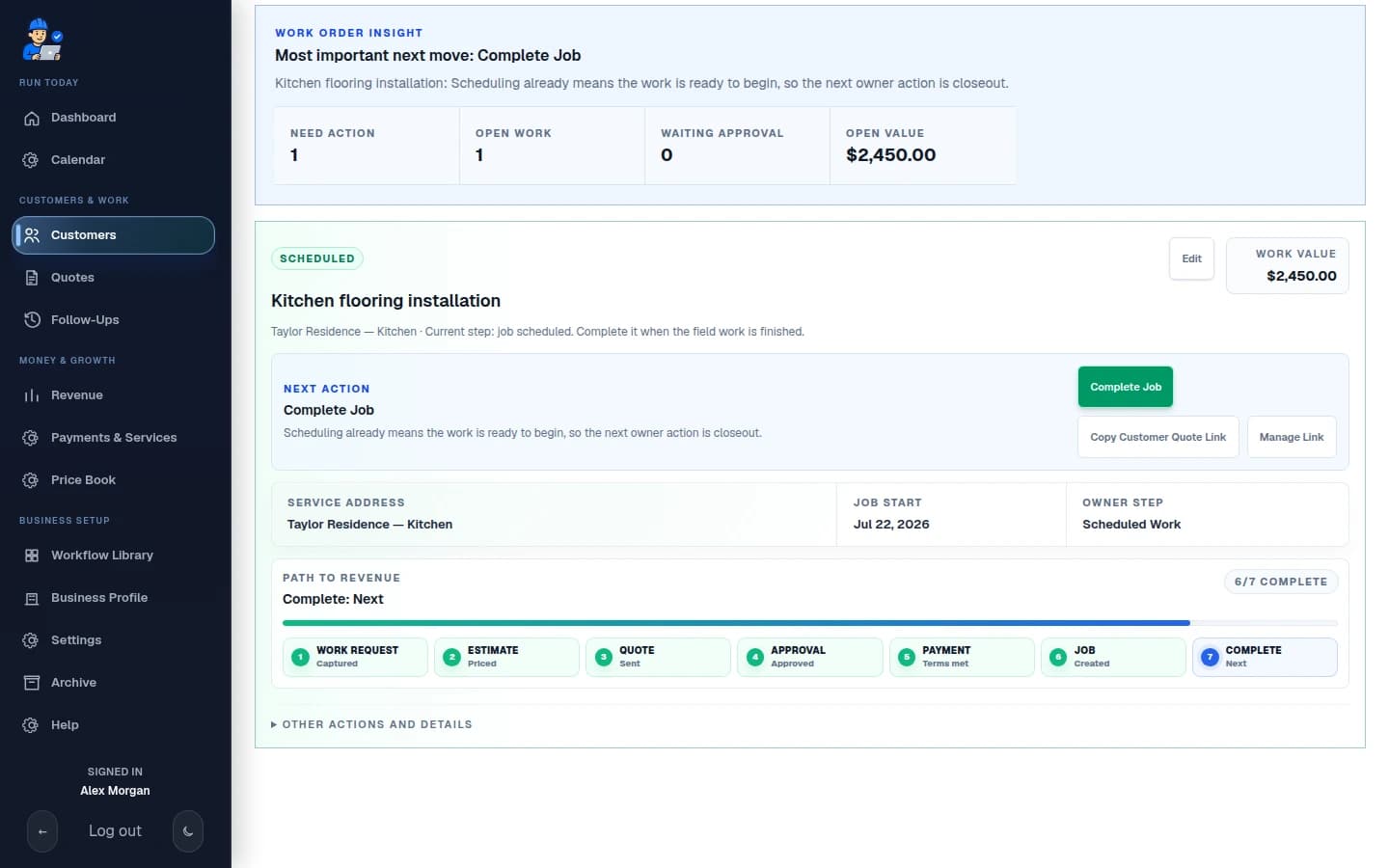
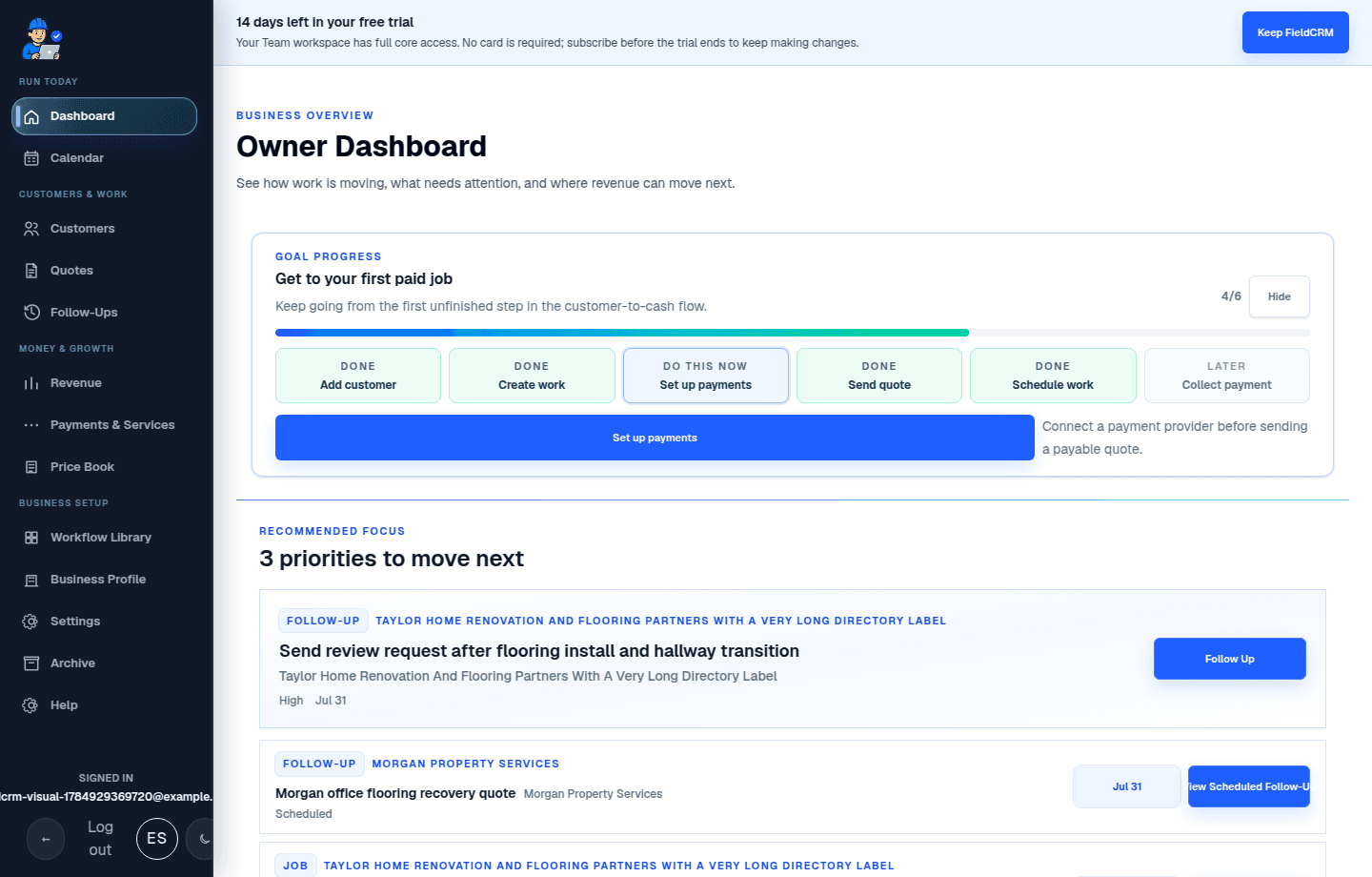
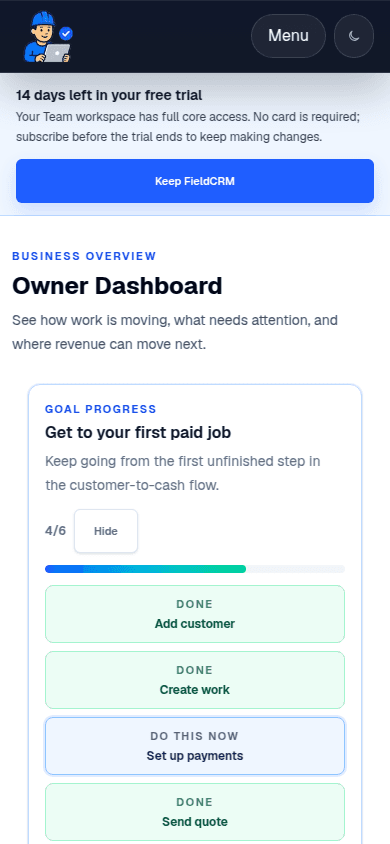
Open one Owner Dashboard and see the highest-value next action, backed by the record.
The all-in-one field business partner
From first call to paid job, FieldCRM keeps customers, Work Orders, estimates, approvals, payments, scheduling, closeout, and follow-ups connected—so the next step is clear.
01
Open one Owner Dashboard and see the highest-value next action, backed by the record.
02
Job sites, Work Orders, quotes, notes, files, jobs, payments, and follow-ups stay connected.
03
Send a branded customer page for quote review, approval, signature, and payment when enabled.
04
Schedule won work, capture closeout evidence, then create the next owner task.
See the product you get
FieldCRM turns the real customer-to-cash workflow into clear owner actions across the Customer workspace, quote approval, Job calendar, Follow-Ups, Analytics, and revenue views.
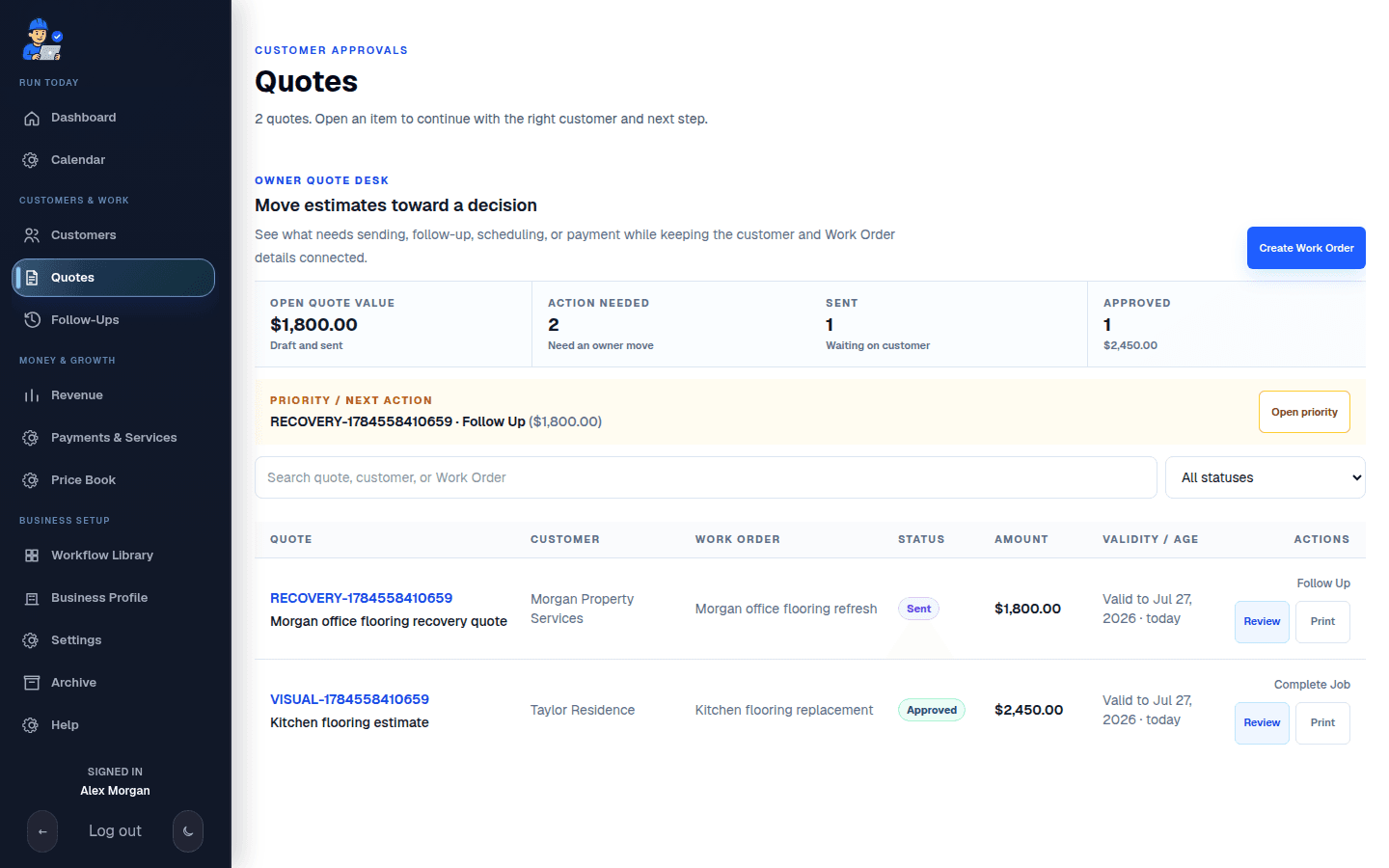
Quote decisions and next actions
The Quote desk shows open value, approval state, connected Work Order context, and the next owner action so nothing waits without a clear move.
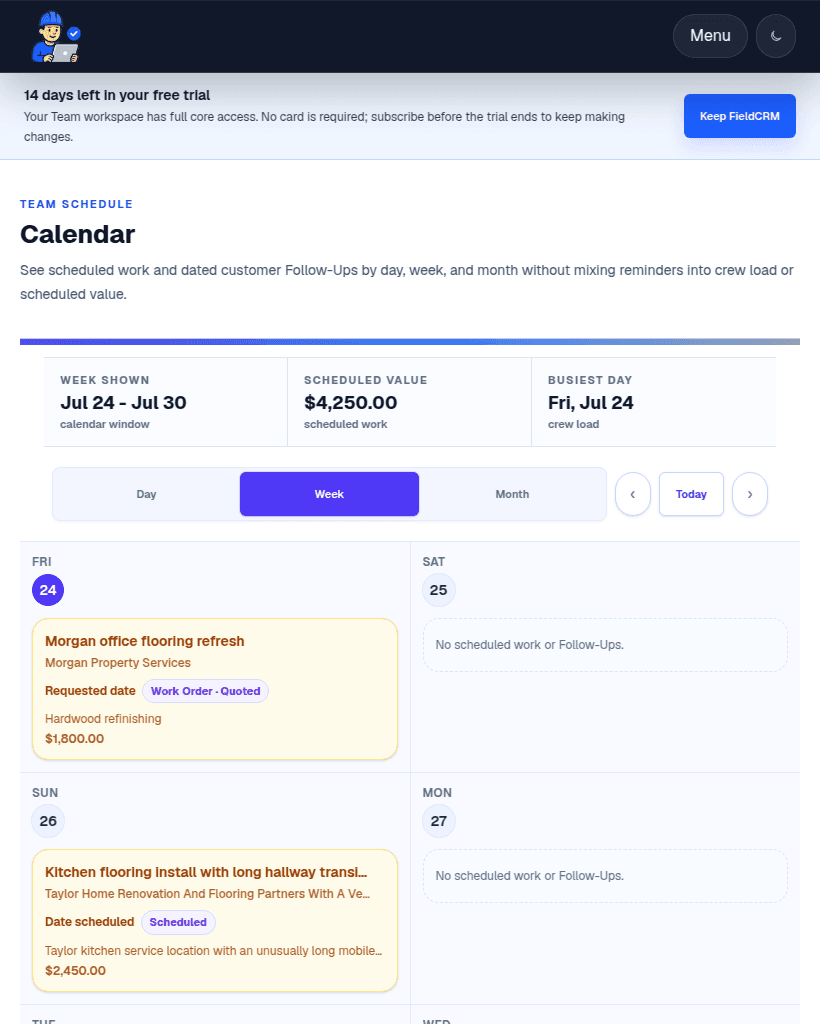
Scheduling and jobs
The Schedule view shows confirmed scheduled work by day, week, or month so owners can see what is actually on the calendar and what still needs action.
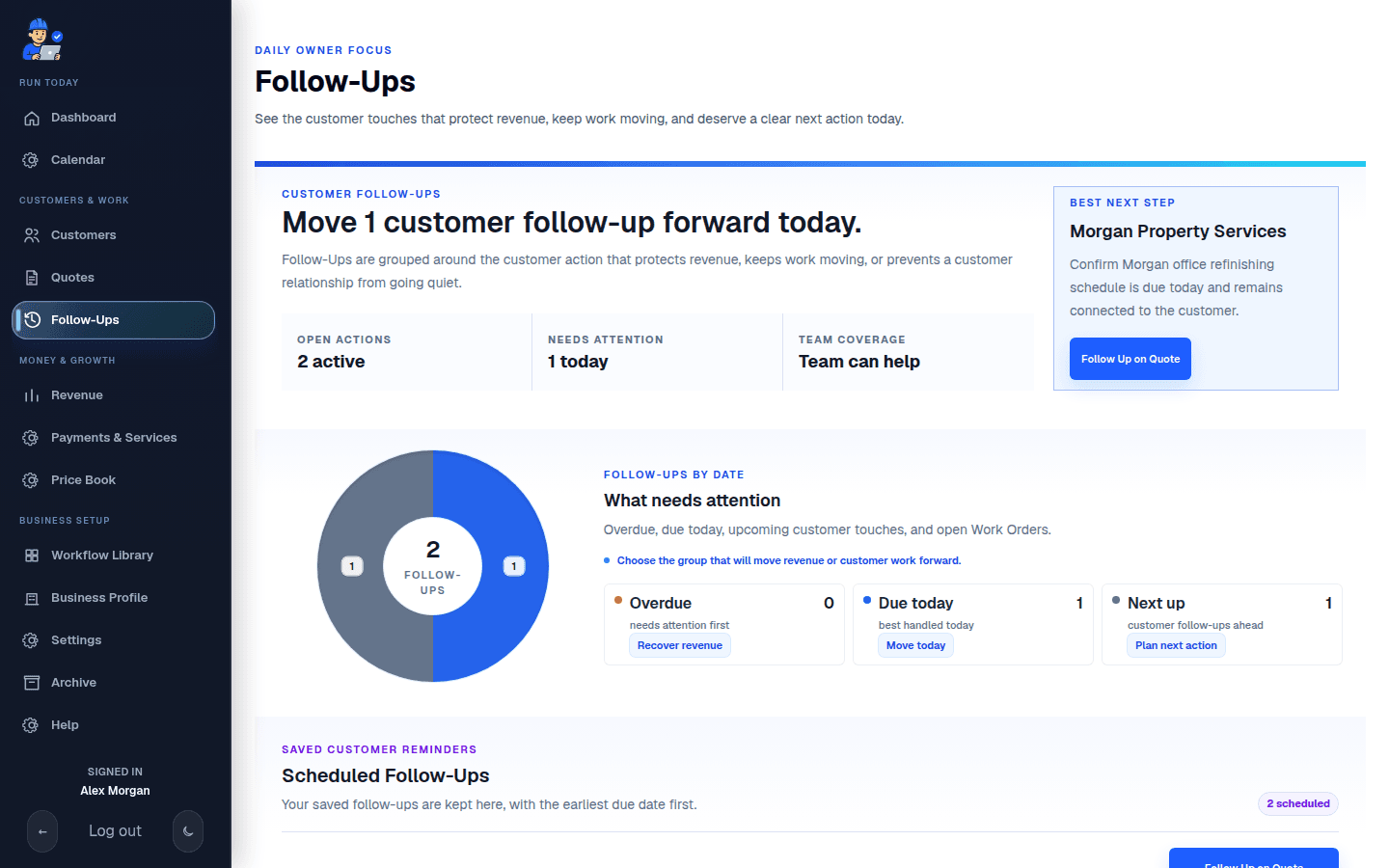
Revenue and follow-up
Follow-Ups and revenue views show open customer touches, money left to collect, and the recommended next move without fabricating outreach or automatic progress.
Ready wherever work happens
Open the same clear FieldCRM workspace from the office, kitchen table, truck, or job site. Priorities, scheduling, customer context, and money stay connected across laptop, tablet, and phone.
A real field-service path
Follow an illustrative service record from first call through paid work and the next owner-created relationship task.
Create customer, Create Work Order, Build estimate, Send approval—then keep each real business event attached to the record.
Illustrative record—not live customer data or automatic progress.
The public quote page supports customer review, approval, signature, and payment when enabled. Payment never schedules or completes a job; scheduling, closeout, communication, and follow-up remain explicit owner actions.
Trust the workflow
The product focuses on the actual service work and protects the truth between customer decisions, money, scheduling, and completion.
Shared action logic answers “Which Work Order needs an estimate?” and “Which approval needs a follow-up?” from real tenant-scoped records. It explains what to do next without inventing progress.
A successful payment can move the quote and invoice to paid. It never silently schedules a job or marks service complete.
FieldCRM can recommend a practical revenue-moving action and hold an owner-created follow-up. Communication remains owner-triggered.
Starts in your language
Choose the closest business type for relevant rate units, service context, and catalog defaults.
Questions before you start
Every plan includes the connected workflow. Choose based on how many people need access.
Compare plans →Create an account and use FieldCRM's full core workflow for 14 days with no card required. If you do not subscribe, your saved workspace becomes read-only.
Owner-operators and small field service teams that want customers, work, money, and follow-through in one practical workspace.
Yes. A branded quote page supports customer review, approval, signature, and Stripe payment when your payment policy says money is due.
No. Follow-ups are visible owner tasks. Customer communication remains owner-triggered so the business stays in control.
Yes. The workspace is designed for phone, tablet, laptop, or desktop, with light and dark workspace support.
14 days free · no card required
Try the full core workflow for 14 days. Then keep it from $29 per month.